Barion Pixel
PrestaShop 1.7, 8, 9 compatible

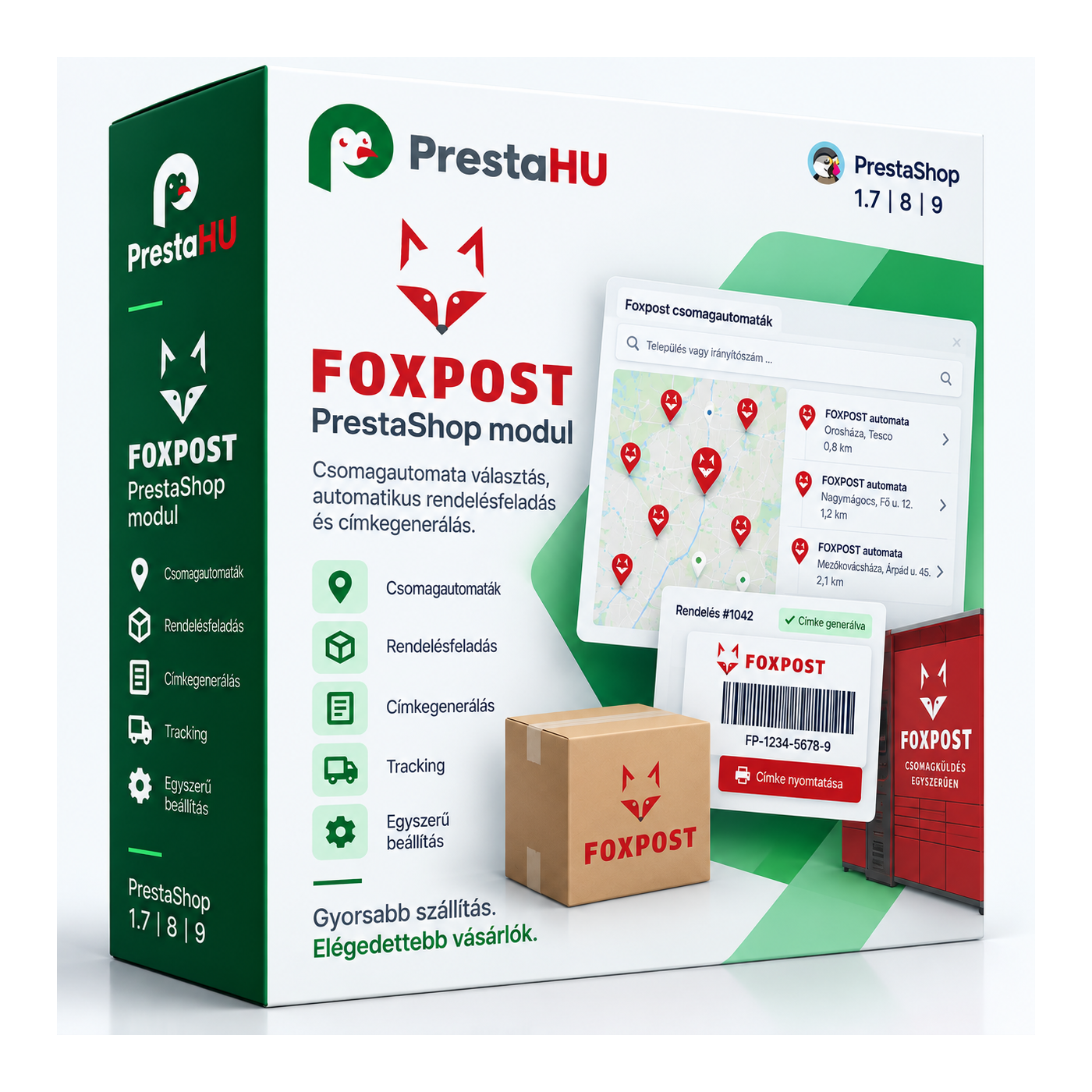
Foxpost integration: the customer picks a parcel point on a map, you print the label in one click.

Ft23,999
One-time fee • 12 months of updates and support
See how it looks
Map parcel-point picker
Label in one click
Human support
What it takes off your plate
Foxpost label
without manual typing
The customer selects the parcel point, and the module generates the Foxpost label from the order data.
A walkthrough of the module in action
What is this module for?

It is built on the official Foxpost API. At checkout the customer picks a Foxpost parcel point or locker on a map, and in the order admin the label is generated in one click as a printable PDF. Parcel point, locker and home delivery; cash on delivery, e-mail with the label attached, and tracking.

What it does

Set it up once, then the order carries the shipping.

Map parcel-point picker

At checkout the customer picks a Foxpost parcel point or locker on an interactive map; the selected point is saved to the order.


Label in one click

In the order admin the Foxpost label is generated with one button via the official API, and the PDF can be downloaded and printed.

Parcel point, locker, home

Per PrestaShop carrier you set whether it is a parcel point, a locker or home delivery — the map filter follows that.

Cash on delivery on the label

For cash-on-delivery orders the COD amount and the payment method are carried over onto the Foxpost label.

E-mail with the label

When the label is created, an e-mail with the PDF attached is sent to the configured addresses.

Tracking and status

The parcel's Foxpost status (collected, in transit, delivered) can be followed on the order.

The actual interface

This is the module from the inside

Foxpost parcel-machine picker at checkout (what the shopper sees)
Foxpost among the delivery methods
Good to know

What do you need?

A Foxpost customer account with API access: username, password and client number. You upload the module the usual way, enter the credentials, map your carriers to the delivery methods, and you are done.

Compatibility: PrestaShop 1.7 to 9, PHP 7.1 to 8.4.
Connection: The official Foxpost API, with your own account credentials.
Delivery methods: Parcel point, locker and home delivery, configured per carrier.
Sandbox: Test (sandbox) and live mode; the whole flow can be tried safely before going live.
Printing: Label PDF (A4 or thermal-printer format), with download and bulk printing.
Updates: 12 months of updates and support.
Why it is good for you

What you get

Accurate address, fewer errors: The customer picks a point from the map, so there is no mistyped address and the parcel goes to the right place.
Faster dispatch: The label is created from the order in one click, with no need to log in to the Foxpost interface separately.
Happier customer: The customer gets the exact parcel point or locker they chose, close to them.
Parcels in one place: Foxpost parcels, statuses and labels are available inside the PrestaShop admin, on the order.
Technical details

Compatibility and version

Compatibility Prestashop 1.7
Compatibility PrestaShop 8
Compatibility PrestaShop 9
Version 2.3.0
Versions

What changed in each version?

v2.3.0 — 2026-08-30
  • Licence protection renewed (v2)
  • PrestaShop 9 compatibility
  • Fix for settings loading
v2.2.9 — 2026-03-07
  • Improved map-based parcel-machine picker
  • More reliable label generation
  • Translation fixes
v2.2.8 — 2026-01-15
  • Parcel-machine selection at checkout
  • Cash on delivery on the label
  • Label printing from the order
Frequently asked questions

What people ask before buying

Which Foxpost services are supported?
Parcel point, parcel locker and home delivery. Labels and tracking are handled through the official Foxpost API.
Do I need a Foxpost contract?
Yes, a Foxpost customer account and its Foxpost API access (username, password, client number) are required.
Which PrestaShop versions does it run on?
PrestaShop 1.7 to 9, PHP 7.1 to 8.4. It also works with multistore installations.
How does the customer pick a parcel point?
At checkout, on the delivery step, an interactive map with the Foxpost points appears; the customer searches and selects one, which is saved to the order.
Can I try it before going live?
Yes. The module has a test (sandbox) mode, so the whole flow can be tried without creating a live label.
Does it work with cash on delivery?
Yes. For cash on delivery the COD amount and the payment method are carried onto the Foxpost label.
On how many shops can I use one licence?
The licence covers the domain given at purchase. An additional shop needs an additional licence; write to us and we will sort it out.

Foxpost Magyarország Ft23,999
My modules